Copy Table Data from Data Source
by Vuram Technology
Description
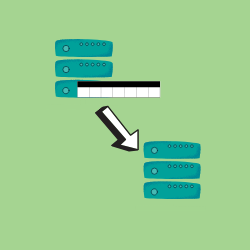
This smart service can be used to copy large amounts of data from one data source to another. It can come in handy when you need to copy the data from a table in the Appian cloud database to be stored in a local database.
Features
Parameters Inputs From Data Source (Text) - Name of the data source from which the data to be fetched. To Data Source (Text) - Name of the data source to which the data has to be copied. Table Name (Text) - Name of the table from which data has to be fetched and to which data has to be copied. Filter Enable (Boolean) - Can be set to true if the data fetched is to be filtered. Filter (Text) - Filters to be applied while fetching the data, works only if ‘Filter Enable’ is set to true. Time Limit (Number (Integer)) - Maximum time in milliseconds allowed for the query to run. Outputs Error Message (Text) - Provides the error message if any error occurred. Error Occurred (Boolean) - Set to true if any error has occurred. Result (Text) - Provides the result message.
Notes The table name and table structure should be the same in both source and target data sources. The default time limit is 30 minutes (1,800,000 milliseconds) and the maximum time limit allowed is 120 minutes (72,00,000 milliseconds). Maximum row limit up to which data can be queried is 500,000.
Release notes
- Fixed an issue where an error is thrown when the columns contain strings with escape sequences.
- Updated libraries.
Version history (3)
1.2.0
- Included Foreign key constraint check functionality.
- Bug Fixes
1.1.1
Bug fixes
1.1.0
- Included support for parallel processing
- Modified the plugin to support more than 500000 data
Resources
- Download
Documentation.docx
Other