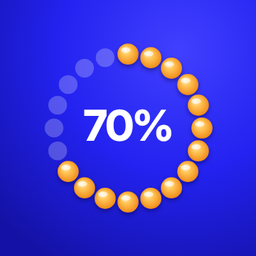
Dot Matrix KPI
by Shubham Aware (shubhama926776)
Description
Dashboards and record summaries often need a single KPI that people read instantly: 72 of 100 deals closed, 308 of 365 days elapsed, 48 tickets in UAE of which 6 breached SLA. Appian's standard charts (pie, bar, column, line) show proportions, but not one mark per unit, a 365-day calendar, or a click-through hierarchy inside the same chart.
Dot Matrix KPI fills that gap. Each dot is one unit or 1%. Coloured dots show progress or share and the rest stay grey, so the number reads at a glance. Developers pass a value and total, a list of segments, one status per dot (for example each day's status from a record query), or a flat 3-level hierarchy (for example Region > Country > Status). Users click straight into a region or country, see its share coloured with the rest greyed out, and go back with one click. The selected item and drill path are passed back to SAIL through events, so the rest of the interface (grids, filters, headings) can follow the user's drilldown.
Typical uses: SLA and ticket dashboards by region and status, sales or quota attainment, approval pipelines, leave and attendance calendars, year or sprint progress, project completion, and compliance or audit coverage.
Features
Components: dotMatrixKpiField
- Layouts: ring, arc (half ring), waffle grid and calendar (one column per week; wraps into bands on narrow cards).
- Data: value + total, segments (key, label, value, color), one segment key per dot from record data, or a flat 3-level drill hierarchy (parents summed automatically).
- Drilldown: click a dot or legend chip to drill in, Back button and breadcrumb to return, percent view (item share coloured, rest greyed), count view, concentric overview rings and an optional drill grid.
- Events: onDotClick and onDrillChange return the clicked item and drill path to SAIL.
- Look: 6 dot shapes, flat/3D/glass/glow finishes, empty-dot styles, tilt, threshold colouring, target dot, today marker, month markers and MINIMAL/STANDARD/RICH presets.
- One-line legend with click-to-filter, hover tooltips and highlight, and a summary message with {value}/{total}/{percent}/{remaining}.
- Fits Short/Medium/Tall heights with no scrollbars; scales up to fill the card with dot size capped.
- Keyboard: arrows move, Enter drills, Backspace/Escape goes back. Respects reduced motion.
- Validation messages for bad parentKey, duplicate keys or over 3 levels; nothing is logged to the console.
- No third-party libraries, no network calls, no browser storage.
Limitations: up to 1000 dots (use unitsPerDot for larger totals) and 3 drill levels. startDate is ISO text because the component SDK has no Date parameter type. English labels only. Desktop browsers only (Chrome, Firefox, Edge, Safari); component plug-ins do not render in the Appian mobile app. Portals: it uses no Appian object references, document IDs or users and makes no network calls; not yet tested in a portal.
Resources
- Download
README.md
README